 Bryce Tozer · · 4 min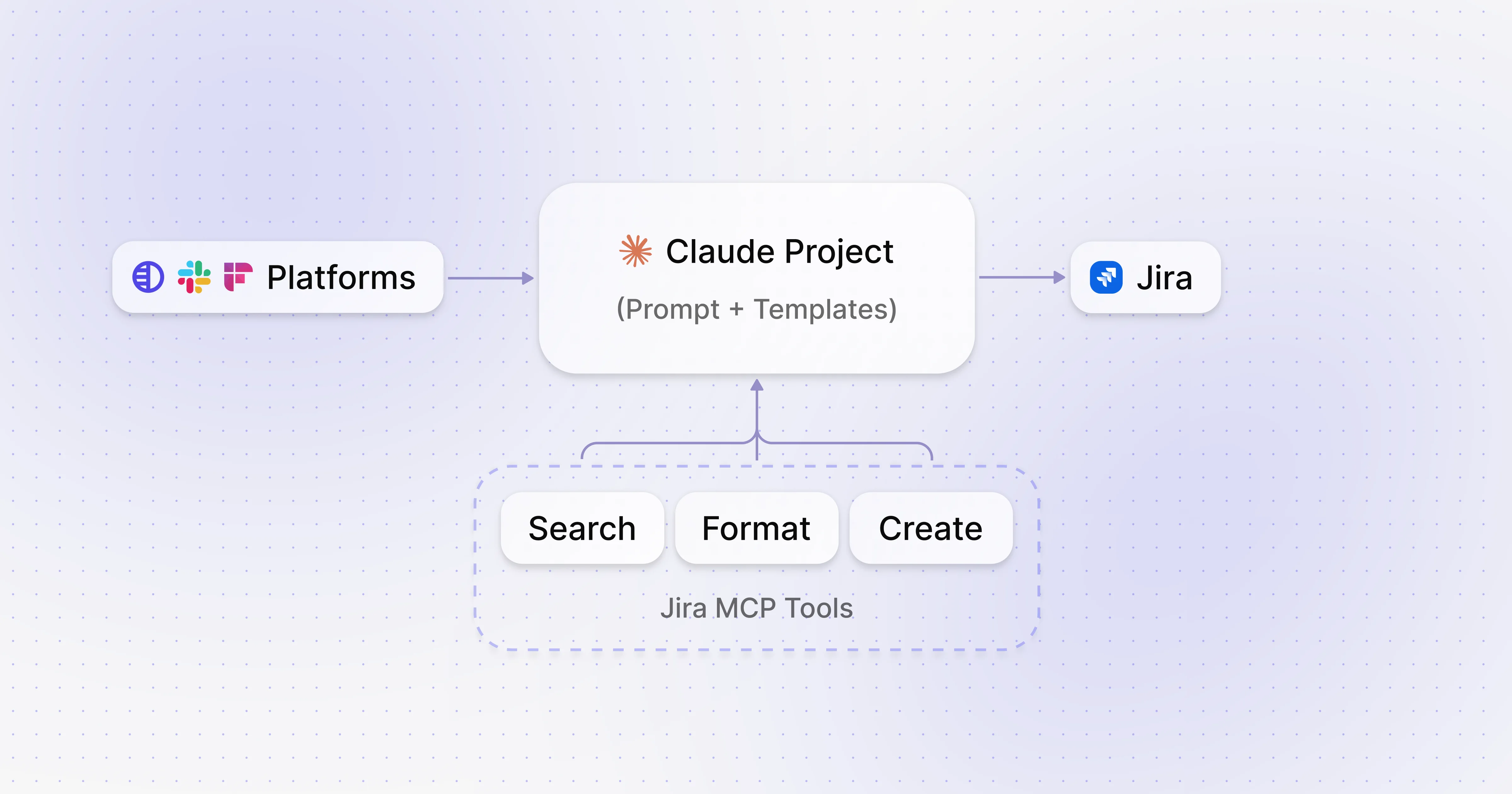
Automating tasks with MCP
Table of Contents
I’ve started using and building MCP servers and tools to try to improve how we raise Jira tickets at StackOne. I’ve realized that building with MCP is no longer an engineering challenge — it’s a product and solutions challenge, thanks to Cursor and other LLM clients.
The Problem
Solution Engineers often raise tickets to help build out use cases for the many platforms StackOne integrates with. The challenge is that:
- Writing tickets is annoying — it pulls you out of context and adds overhead.
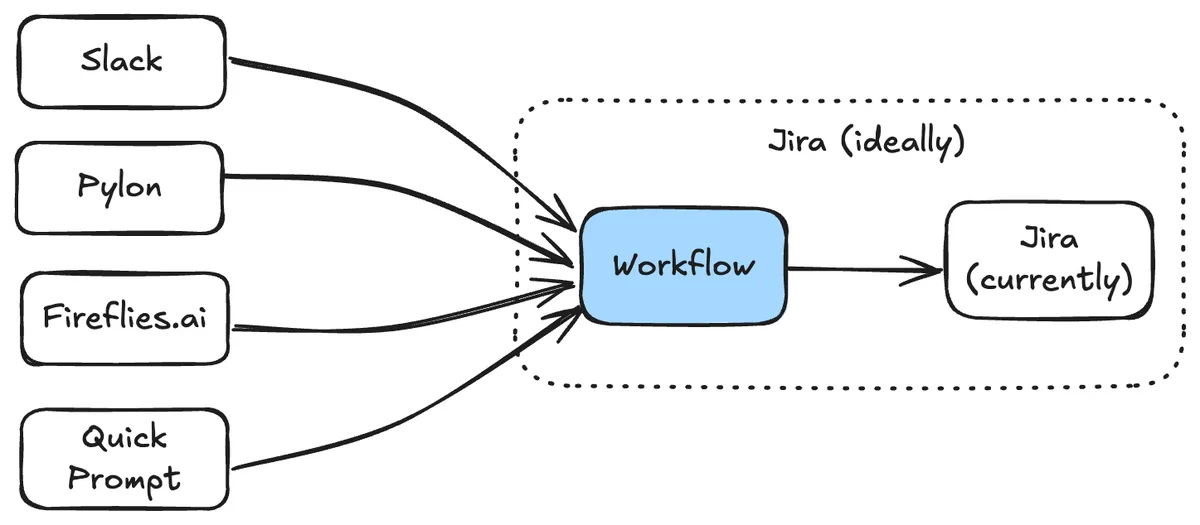
- Tickets originate from all over the place — Slack conversations, online meetings, Pylon issues, solution design docs, or casual office chats.
The Dream
Fortunately, the tickets we raise are usually straightforward and follow similar patterns.
- Tickets should be created (or at least drafted) with a minimal prompt.
- Customers and other references should be linked automatically.
- The system should check for duplicates before creating a new ticket by having awareness of current product state.
- An investigation should be completed (e.g. using the StackOne AI tools) to check if it is feasible and how.
- Tickets could be created with minimal human interaction (i.e. after a meeting finishes or when mentioned in Slack).
Ideally, this functionality would be native to the endpoint solutions like Jira and accessed with their app ecosystem. Until then, I needed a plan. The okay-ish alternative would be for originating platforms (Slack, Fireflies, Pylon, etc.) to provide this functionality. Some do — but getting consistent, high-quality tickets from each of them is likely impossible. That’s where MCP came in.
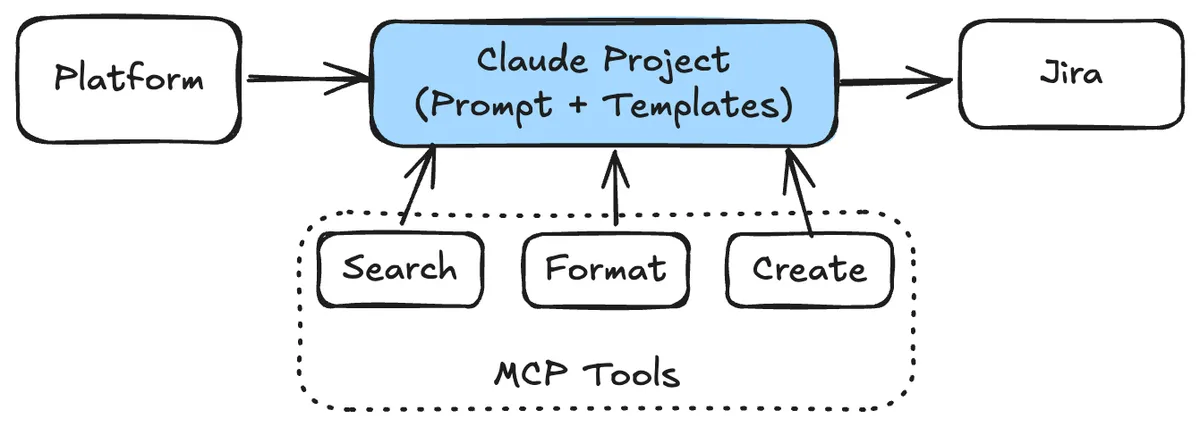
Given the multimodal nature of the ticket context (screenshots, meeting transcripts, quick verbal prompts from Wisprflow), I landed on using Claude as the client. One nice bonus: Claude has “Projects,” which let you store long prompts and contextual data for reference in future conversations.
Client: Claude Desktop Workflow: Claude Projects (Prompt + Data)
Building the Workflow
MCP Server
I started with mcp-atlassian, which is a pretty comprehensive server for Jira & Confluence. It was a great starting point — I was able to make my first request and fetch tickets from our Jira instance.
Project Prompt
The quick win fetching tickets gave me the idea to get Claude to create the project prompt and templates. I got it to pull 100 tickets from our Jira, analyse them, and generate a detailed prompt for a Claude Project to use when auto-generating tickets. It worked: Claude identified four key ticket types we often raise (Mapping, Documentation, Webhooks, and Investigation tasks), and created templates with examples for each.
It also inferred how we handle priority, and came up with a set of rules to assess urgency and assign priority accordingly.
Coverage Data
Since we’ve already built out a heap of integrations and mapped a lot of coverage, I wanted Claude to know what category (HRIS, ATS, etc.) a given provider falls into, and whether the specific field/operation in question was already covered. To do this, I just uploaded CSVs of all our coverage into the Claude Project for it to reference.
Now we had:
- A Claude Project with a solid prompt
- Contextual data about our integration coverage
- An MCP server that could technically create Jira tickets
I went to create a basic ticket… and it failed. Tried again — still failed. Turns out, our Jira has too many mandatory custom fields for the off-the-shelf MCP server to handle 😞
Creating My Own MCP Server
This gave me the chance to build my own MCP Server and Tool. I thought this would be the hardest part however it turned out to be the easiest. I opened up Cursor, grabbed the MCP instructions, pasted in a sample Jira curl request (with all the mandatory field metadata), and the server was created.
From this, Claude not only built the MCP server and a create-jira-ticket tool, but also a get-stackone-customers lookup tool using the metadata to pull the list of customers.
I loaded everything into Claude Desktop, updated my prompt to prefer my Jira tool over the default one, and it worked. 🤌
What It Can Do
The real product/solution here isn’t just the MCP server — it’s the combination of prompt, MCP Server tools, and contextual data. It’s not perfect, but for the short time it took to spin up, it’s performing way better than I expected. Right now, it can:
- Take a basic prompt and create a ticket
- Take a screenshot of a Slack convo and create a ticket
- Parse a meeting transcript, find when someone says “I’ll raise a ticket,” and do it
- If a customer is mentioned, find their ID and include it
- Run a JQL check to see if similar tickets already exist and avoid duplicates
This is where it’s at today — but I’m sure it’ll be completely different in two weeks.
What’s (Potentially) Ahead
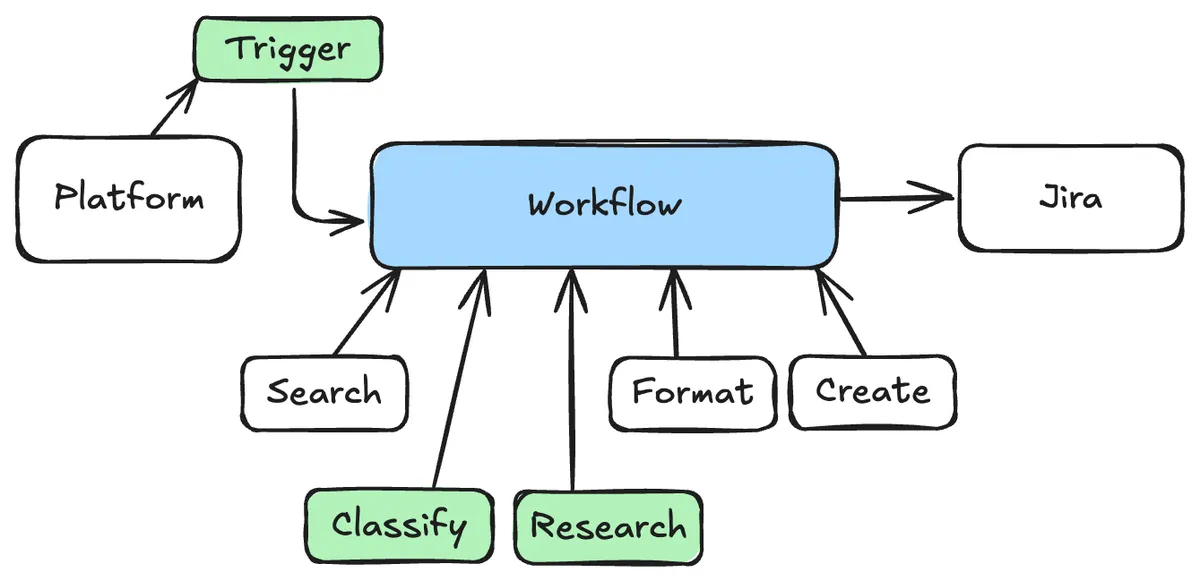
- Add support for more ticket types
- Tweak the prompt to generate higher quality tickets
- Add a tool to query our current field coverage (rather than relying on the static CSVs)
- Connect it to the StackOne AI tools to supercharge the workflow — this would let it check if the functionality is actually feasible (based on provider capabilities) before raising a ticket, and link relevant docs or request the required data
- Host the prompt, context, and MCP servers somewhere reliable so others can easily use them — and so it can be triggered on demand (e.g. right after a meeting transcript is generated, or when a Slack message gets an emoji reaction)
- Add a tool to take this^ todo list and create Jira tickets for all of these features 😉
If you’ve got any questions, keen to know more or interested in joining StackOne as a Solutions Engineer - just reach out!