
September 2026
Deep Query: Search and Aggregate Synced Data
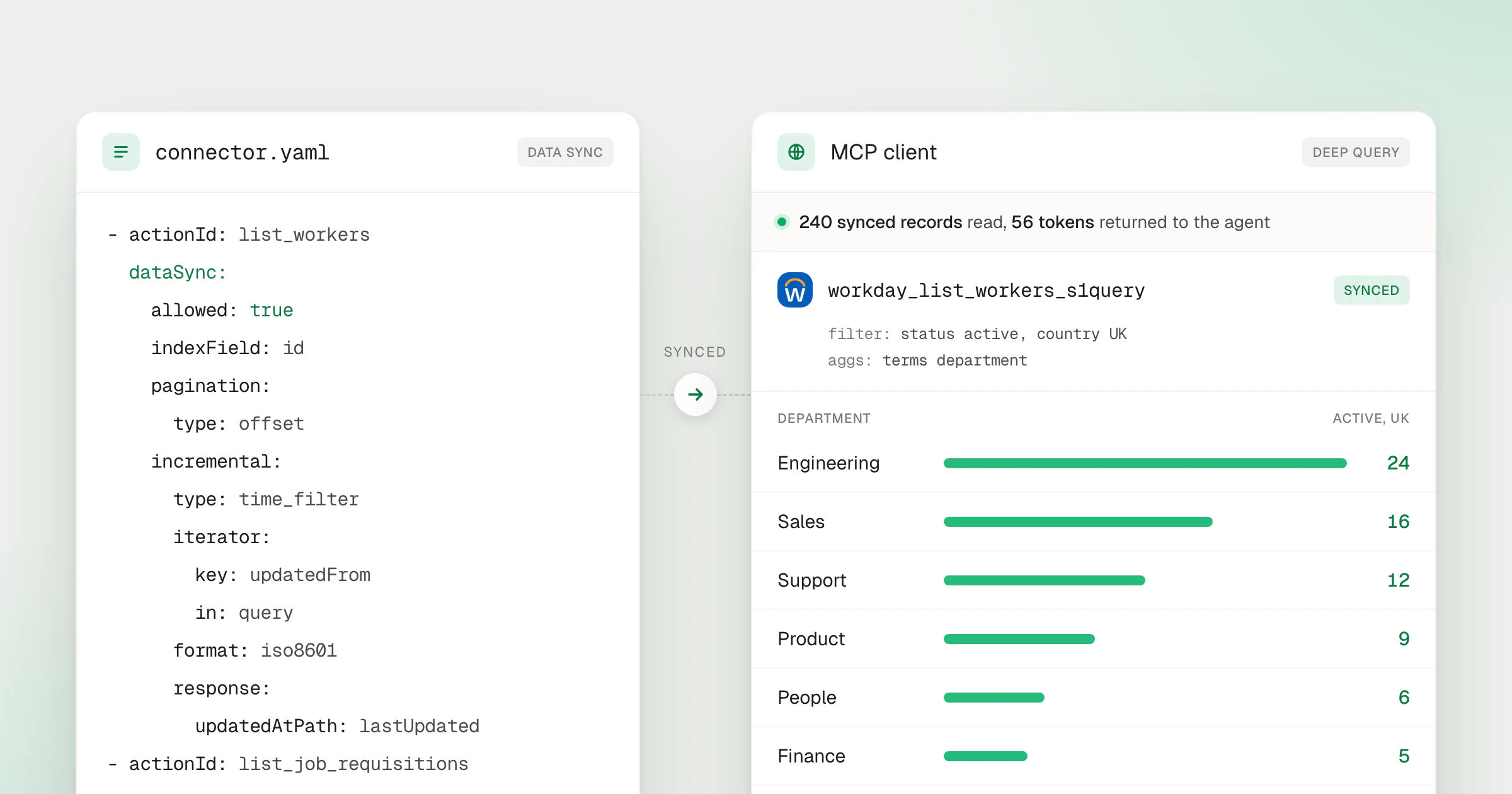
To count employees by department, an agent had to page through every record from the provider and do the counting in its own context. That is slow on large systems and often overflows the context window. Deep Query runs the query on the records Data Sync has already stored in StackOne, and the agent receives only the counts, totals or fields it asked for.
What’s new
- A query tool per synced action. Each action with a sync gains a companion
{action}_s1querytool, such asworkday_list_workers_s1query, next to the live tool. Thelist_s1query_queryable_fieldstool tells the agent which fields it can filter, sort and aggregate. - Filters on any synced field.
term,terms,range,wildcard,existsandboolapply to the stored fields, whatever query parameters the provider API exposes. - Text search.
matchandmatch_phrasesearch text fields word by word, so a search for Java skills leaves out JavaScript-only profiles. - Aggregations in the index. Counts, sums, averages, minimums, maximums and date histograms run in StackOne’s index, and the agent receives the buckets rather than the records behind them.
- Selected fields and sorting.
sourcereturns only the fields a task needs, andsortwithpage_sizeshapes record lists such as the ten most recent hires. - No provider call at query time. Reads come from StackOne’s index, so they don’t wait on the provider or use its rate limit. Results reflect the latest successful sync.
- Data Sync in your own connectors. Custom connectors can declare a
dataSyncblock on a list action and test full and incremental runs locally before deploying.
Data Sync in a connector
A dataSync block tells StackOne how to page through an action and, optionally, how to fetch only records changed since the last run. Deep Query then covers that action once its first sync completes.
- actionId: list_workers
  dataSync:
    allowed: true
    indexField: id
    pagination:
      type: offset
      response:
        dataKey: data
      iterator:
        offsetKey: skip
        limitKey: limit
        in: query
    incremental:
      type: time_filter
      iterator:
        key: updated_after
        in: query
      format: iso8601
      response:
        updatedAtPath: updated_at
The StackOne CLI walks the same page loop the production sync runs, without writing anything to the index:
stackone run --connector connector.s1.yaml --account account.json --action-id list_workers --sync-fullTurn on Data Sync
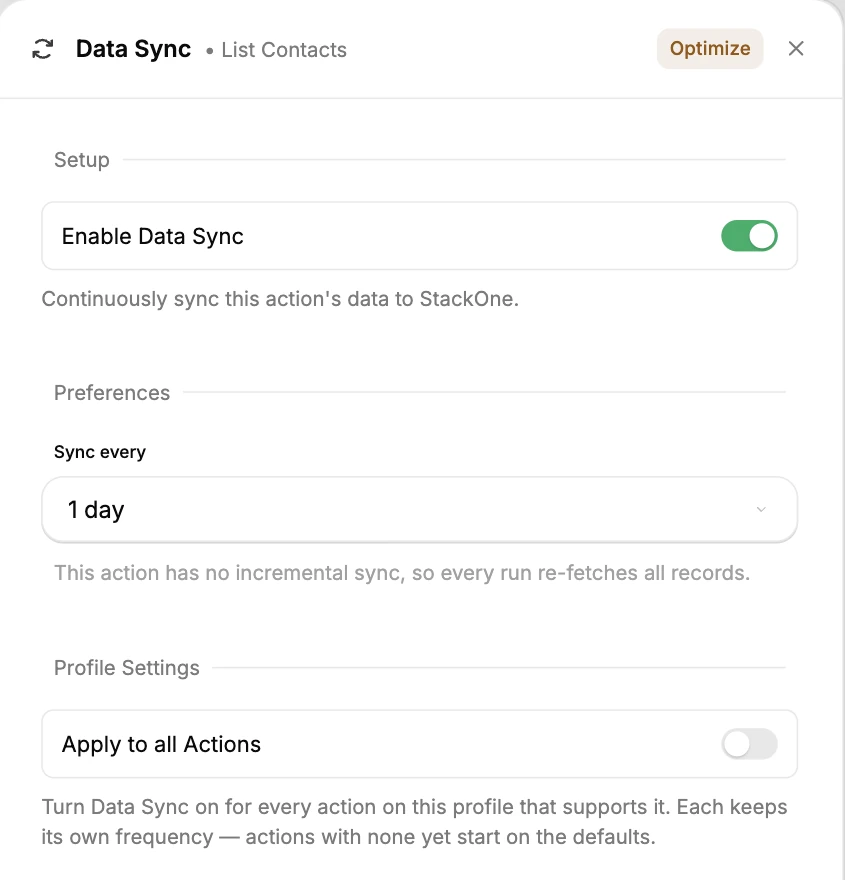
Open a Connector Profile and select the sync icon on a list action. The Data Sync panel turns sync on for that action and sets how often it runs. For actions with incremental sync, it also sets how often a full re-sync runs to catch deletions. Apply to all Actions turns sync on for every supported action on the profile.
The Data Sync guide covers the settings and monitoring. The Deep Query docs cover the query syntax, and the Deep Query product page steps through examples with Workday, SAP SuccessFactors, Salesforce, Zendesk, Greenhouse and Bullhorn. Agents find the query tools alongside the rest of the catalog through Search and Execute.