
AI Agent for Ticket Triage
Route Every Ticket Instantly
Use StackOne to connect your AI agent to your helpdesk, CRM, and messaging tools to automate ticket triage and priority routing.



AI Agents
Connect
MCP and A2A to REST, SOAP, and proprietary APIs.
Optimize
Tool discovery, data shaping, and reliable execution.
Secure
Scoped permissions, audit trails, and observability.
StackOne Integration Layer


 StackOne Integration Layer
Connect
530+ connectors, build your own, and multi-protocol support.
Optimize
Context, token, and speed optimization infrastructure.
Secure
Permissions API and prompt injection protection.
What Can AI Agents Do for Ticket Triage & Routing?
An AI agent for ticket triage and routing connects to your ticketing apps through StackOne to read every incoming ticket, enrich it with customer context, classify it by category and priority, and route it to the right queue before a human touches it.
Ticket Intake
Receive new tickets and extract subject, description, and metadata from Zendesk, Freshdesk, Intercom, Gorgias, or ServiceNow.
Customer Context
Query Salesforce or HubSpot for account tier, contract value, health score, and recent interaction history to inform triage decisions.
Category Classification
Analyze ticket content to classify into categories — billing, technical, account management, or feature request — using structured fields rather than free-text guessing.
Priority Assignment
Assign P1 through P4 priority by combining ticket urgency signals with account tier and SLA entitlements from the CRM, so high-value customers get the response times they were promised.
Queue Routing
Map the assigned category and priority to the correct support tier or specialist queue, so billing issues reach the billing team and P1 technical incidents reach senior engineers.
Audit Logging
Update the ticket with the assigned priority, category, and queue. Log the triage rationale so agents and managers can review how routing decisions were made.
Ticket Intake
Receive new tickets and extract subject, description, and metadata from Zendesk, Freshdesk, Intercom, Gorgias, or ServiceNow.
Customer Context
Query Salesforce or HubSpot for account tier, contract value, health score, and recent interaction history to inform triage decisions.
Category Classification
Analyze ticket content to classify into categories — billing, technical, account management, or feature request — using structured fields rather than free-text guessing.
Priority Assignment
Assign P1 through P4 priority by combining ticket urgency signals with account tier and SLA entitlements from the CRM, so high-value customers get the response times they were promised.
Queue Routing
Map the assigned category and priority to the correct support tier or specialist queue, so billing issues reach the billing team and P1 technical incidents reach senior engineers.
Audit Logging
Update the ticket with the assigned priority, category, and queue. Log the triage rationale so agents and managers can review how routing decisions were made.
Why Building a Good Ticket Triage Agent Is Hard
Building a good ticket triage agent is hard because it has to connect to more than ten helpdesk and CRM providers, keep token costs down as ticket volume grows, defend against prompt injection in ticket content, and rely on purpose-built tools to reach high accuracy.
Connecting to 10+ Helpdesk and CRM Providers
A triage agent needs connectors to Zendesk, Freshdesk, ServiceNow, Intercom, Gorgias, Salesforce, and HubSpot. Building and maintaining each one — OAuth scopes, cursor-based pagination, per-provider rate limits — is a massive lift.
Token Cost Grows with Ticket Volume
Without search-first architecture, the agent pre-loads every helpdesk and CRM action definition into its context window. At thousands of tickets per day, that burns tokens on irrelevant tools before the agent classifies a single ticket.
Ticket Content Carries Prompt Injection Risk
Triage agents ingest customer-submitted ticket descriptions, subject lines, and custom fields. A single adversarial instruction embedded in a ticket can hijack the agent into misclassifying priority or routing to the wrong queue.
Getting High Accuracy Requires Purpose-Built Tools
Accurate triage requires reading ticket fields, customer tier, and SLA entitlements in structured calls. Raw helpdesk API wrappers expose too many low-level details and lead to hallucinated field mappings.
How StackOne Makes Ticket Triage Agents Possible
StackOne makes ticket triage and routing agents possible by connecting them to your ticketing apps, so one agent can classify tickets, enrich with CRM data, and route to the right queue with the controls IT demands.
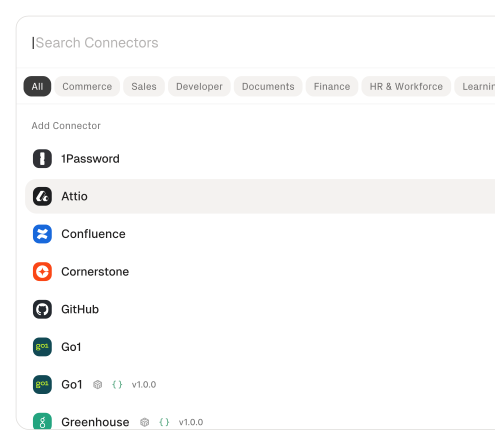
530+ connectors with 33,000+ agent-optimized actions
Pre-built connectors for Zendesk, Freshdesk, ServiceNow, Intercom, Gorgias, Salesforce, HubSpot, and Slack with full native action coverage and agent instructions included.
Managed Auth handles credentials across providers
OAuth flows, API keys, and token refresh managed per tenant for every connected helpdesk and CRM — agents never touch raw credentials.
Advanced Tool Search finds the right action
Agent searches StackOne's action catalog by natural language and executes the matching helpdesk or CRM action — no pre-loading thousands of tool definitions.
Build agentic workflows
Subscribe your AI agents to any webhook-enabled ticketing connector and trigger agentic workflows from any of your app events.
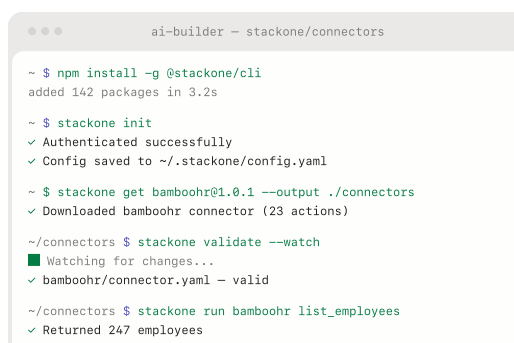
AI Connector Builder extends to any ticketing platform
Build custom connectors for unsupported helpdesks or internal routing systems via REST, SOAP, or GraphQL — no waiting on vendor support.
Defender blocks prompt injection from ticket content
StackOne Defender screens inbound ticket text for injection attempts before the agent processes it, preventing adversarial content from manipulating triage and routing behavior.
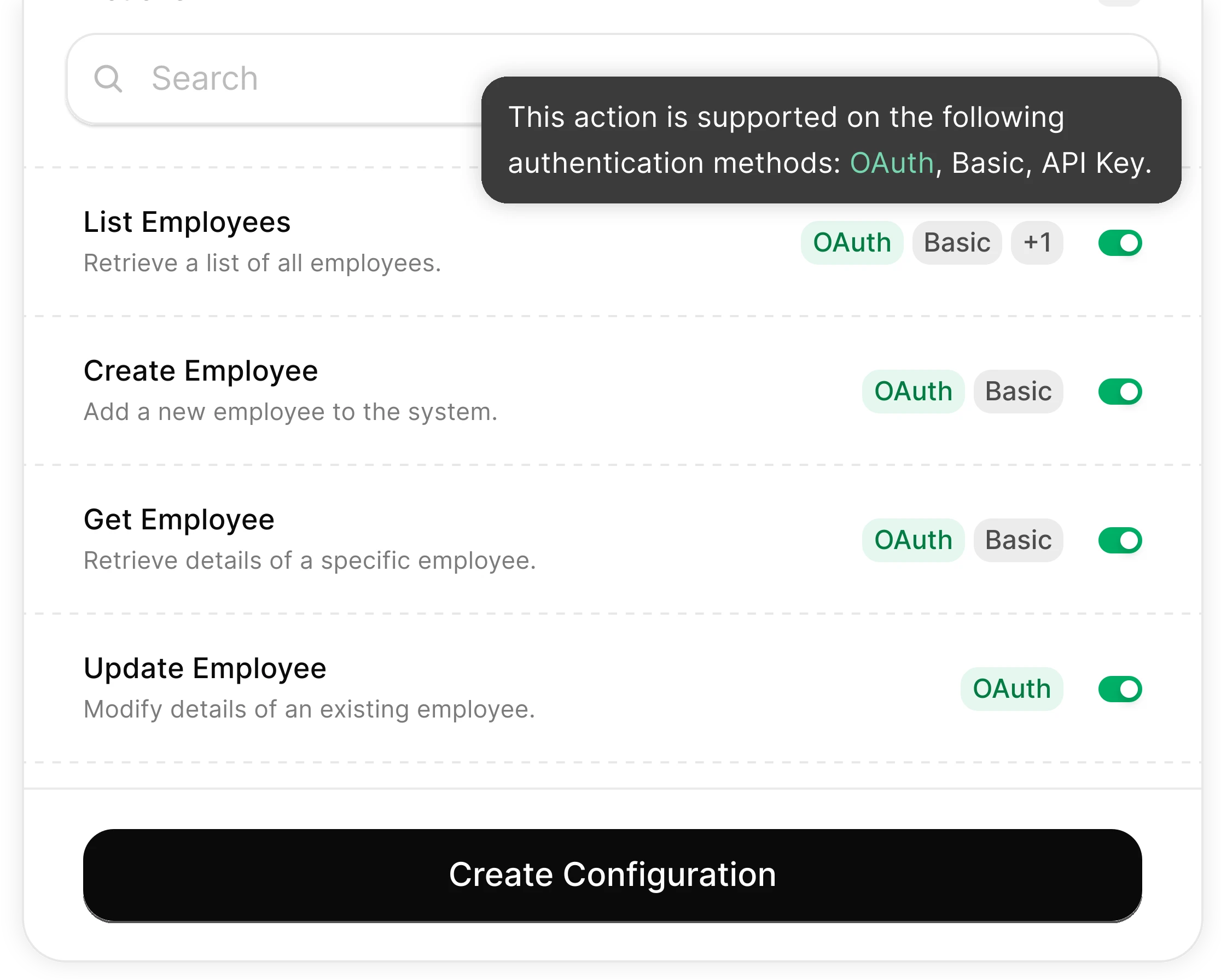
You Control What the Agent Can Do
Scoped permissions define exactly which ticket fields the agent reads and which routing actions it can trigger. Full audit trail of every triage operation.
Integrates with your entire support stack. Whatever it is.
Automate Ticket Triage with any AI agent through StackOne

Any AI Agent Client or Framework
Claude, OpenAI, LangChain, Vercel AI SDK, CrewAI, Pydantic AI — StackOne works with every major agent framework out of the box.


Any Agent Builder
Whether you're building with code, a visual builder, or an enterprise platform — StackOne provides the integration layer your agent needs.
Connect Your Agent to Your Support Stack
Start building in minutes. MCP connectors to every system your agent needs.
Before this ships, someone will ask who can run it.
The same controls cover every use case on this site: which actions exist, who may connect an account, what each call may read or change, what comes back, and the record it leaves.
- Connector access
- SSO and SCIM
- Permission Policies
- Observability & audit
- Deployment and data residency
Frequently Asked Questions
Other Customer Support Use-Cases
View allUse StackOne to connect your AI agent to your helpdesk, CRM, and messaging tools to automate SLA breach prediction and escalation.
ViewUse StackOne to connect your AI agent to your telephony, CRM, and messaging tools to automate voice call summarization and CRM logging.
ViewUse StackOne to connect your AI agent to your helpdesk, survey tools, and CRM to automate CSAT/NPS follow-up and detractor recovery.
ViewUse StackOne to connect your AI agent to your CRM, project management, and messaging tools to automate customer onboarding.
ViewUse StackOne to connect your AI agent to your helpdesk, payment processor, and e-commerce platform to automate refund and return processing.
View
Connect Your Agent to Your Support Stack
Start building in minutes. MCP connectors to every system your agent needs.