Skip to main content The #1 agentic semantic tool search: 91.6% first-try accuracy on S1 Search Bench Explore Tool Discovery
Connectors Canva
Live 36 Actions

Canva Integration for AI Agents

Connect your AI agent to 36 QA'd Canva actions via MCP, A2A, or SDK, with agent authentication, tool-calling execution, and security built-in.

StackOne
DrataGPLocalyzeFlipMindtoolsScreenloop

Canva AI Agent Actions

36 production-ready actions for your agent to do more on Canva.

36 Actions
List Designs - List designs owned by the authenticated user
Get Design - Retrieve a design by its ID
Create Design - Create a new Canva design
List Design Pages - List pages in a design
List Folder Items - List items in a folder
Get Folder - Retrieve a folder by its ID
Create Folder - Create a new folder
Update Folder - Update a folder's name
Delete Folder - Delete a folder
Move Folder Item - Move an item to a different folder
Get Asset - Retrieve an asset by its ID
Update Asset - Update an asset's metadata
Delete Asset - Delete an asset
Create Asset Upload Job - Start an asset upload job via URL
Get Asset Upload Job - Get the status and result of an asset upload job
Create Export Job - Start a design export job
Get Export Job - Get the status and result of an export job
Create Comment Thread - Create a new comment thread on a design
Get Comment Thread - Retrieve a comment thread from a design
Create Reply - Add a reply to a comment thread
List Replies - List replies in a comment thread
Get Current User - Retrieve the authenticated user's information
Get User Profile - Retrieve the authenticated user's profile
List Brand Templates - List brand templates owned by the authenticated user
Publish Brand Template - Publish a design as a brand template
Get Brand Template - Retrieve a brand template by its ID
Get Unified Credentials - Return the authenticated Canva Connect identity, auth type, and granted scopes for the current connection. Inlines the IamUser representation of the authenticated user using /users/me (Canva user_id) and /users/me/profile (display name). No second roundtrip needed for user identity.
IAM Auth Test - Validate the current Canva Connect OAuth token by calling /users/me and return the raw, unmapped response (team_user.user_id, team_user.team_id). Use this for debugging token expiry, refresh failures, or revocation rather than for normal app flows — unified_get_me is the unified IAM credentials wrapper for the same data.
List Unified Groups - List every Canva Team group mapped to the IAM unified group schema via the Canva SCIM v2 bridge. Canva Team groups represent named collections of users within a Team (used for permissions and brand asset scoping). Each entry surfaces the SCIM group id, display name, type ("group"), and created_at.
Get Unified Group - Retrieve a single Canva Team group by SCIM id, mapped to the IAM unified group schema. Field coverage matches unified_list_groups. Uses the Canva SCIM Key for authentication.
List Unified Organizations - Return a single-record list representing the Canva Team that the connection is attached to, mapped to the IAM unified organization schema. Canva is single-tenant per connection (one Team per OAuth grant), so this list always contains exactly one synthesized organization with a stable literal id ("canva").
Get Unified Organization - Retrieve the synthesized Canva Team organization record. Canva is single-tenant per connection, so the only canonical identity is the literal "canva" (see remote_id on the returned record, or the id from unified_list_organizations). The action verifies the OAuth credentials via /users/me before returning.
List Unified Roles - List Canva Team roles synthesized from the SCIM provisioning surface. Canva does not expose a roles API, so this action returns a static catalog of the four built-in role names (Owner, Administrator, Designer, Member). Role IDs are stable enum keys that join 1:1 with the `roles[]` entries on unified_list_users / unified_get_user, and with unified_list_resource_users when present.
Get Unified Role - Retrieve a single Canva Team role by stable enum id (owner, administrator, designer, member). Performs an auth probe against the SCIM /Users endpoint before returning, then synthesizes the role record locally — there is no upstream get-role API on Canva.
List Unified Users - List every Canva Team member mapped to the IAM unified user schema via the Canva SCIM v2 bridge. Each entry surfaces the user's stable SCIM id, display name, primary email, and status (enabled/disabled from SCIM `active`). Pass expand=roles to inline a synthesized workspace-scoped role (admin/editor/basic) derived from the SCIM `role` field (Owner, Administrator, Designer, Member).
Get Unified User - Retrieve a single Canva Team user by SCIM id, mapped to the IAM unified user schema. Field coverage matches unified_list_users (including the synthesized workspace-scoped role). Use this to enrich a user reference held elsewhere or to feed cross-action permission joins.

Do More, Build Less

Integration Infrastructure for Canva AI Agents

Multiple Interfaces

Access integrations via API, AI SDKs, MCP & A2A.

Canva MCP server
Managed Authentication

Pre-built authentication UI.

Agent auth
Falcon Engine

Every Canva action runs on Falcon.

Agent Execution Engine
StackOne Defender
StackOne Defender Meta PG v1 Meta PG v2 DeBERTa 88.7% 67.5% 63.1% 56.9% Detection accuracy

88.7% prompt injection detection.

Prompt injection defense

"What impressed us most about StackOne is its ambition and clarity. They're creating infrastructure that modern software and the entire AI agent ecosystem can rely on. The depth of secure integrations, the pace of delivery, and the team's foresight into AI's future uniquely position StackOne to redefine this category."

Luna Schmid, Partner at GV

"We've been impressed by how quickly and deeply StackOne integrates with complex enterprise systems -- and now, with their focus on agent-to-agent interoperability, they're unlocking even more powerful use cases for customers. StackOne delivers all of the above in a universal layer -- without compromise."

Barbry McGann, SVP at Workday Ventures

G2 - High Performer G2 - Easiest To Do Business With G2 - Users Love Us G2 - Users Most Likely To Recommend G2 - Easiest Admin

Product Teams Love Building Agent Integrations With StackOne

G2

More Design & Visual Integrations Like Canva

Canva AI agent integration resources

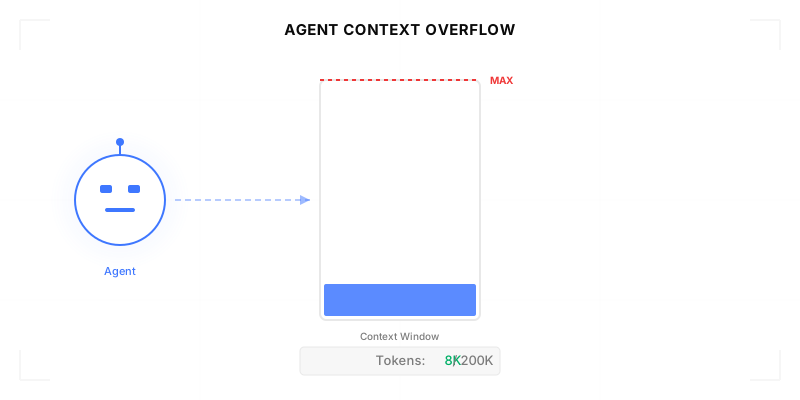
Agentic Context Engineering: Why AI Agents Kill Their Own Context Windows

AI agents exceed their context windows without knowing it. Six failure patterns and seven survival architectures for agentic context engineering.

15 min
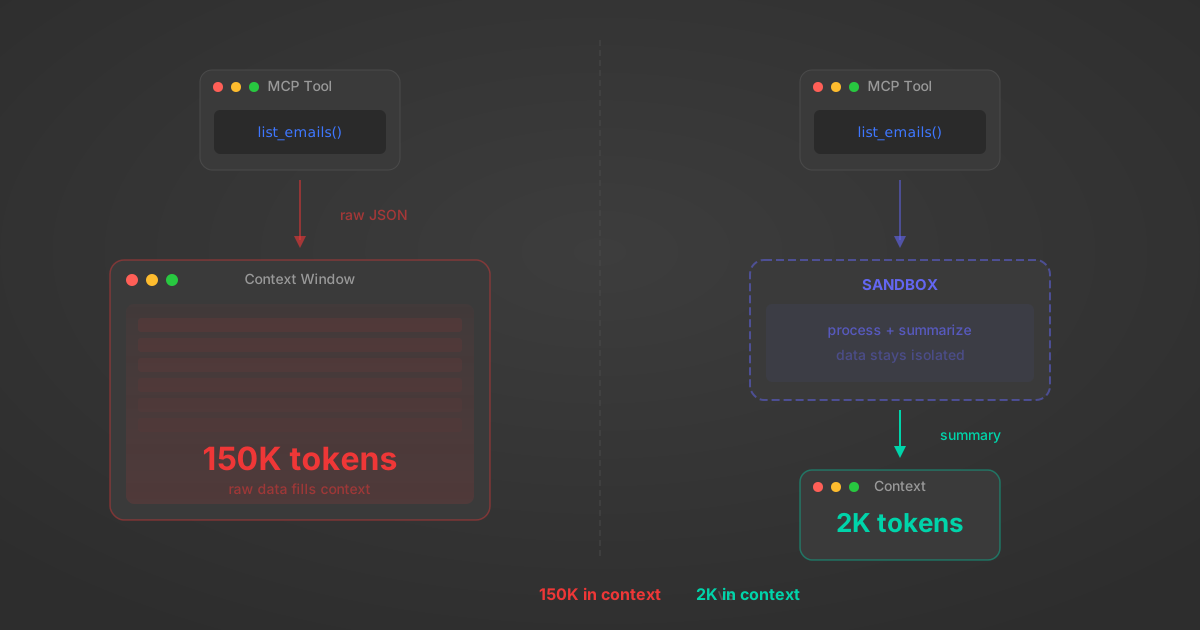
MCP Code Mode: Keeping Tool Responses Out of Agent Context

Anthropic's code_execution processes data already in context. Custom MCP code mode keeps raw tool responses in a sandbox. 14K tokens vs 500.

11 min
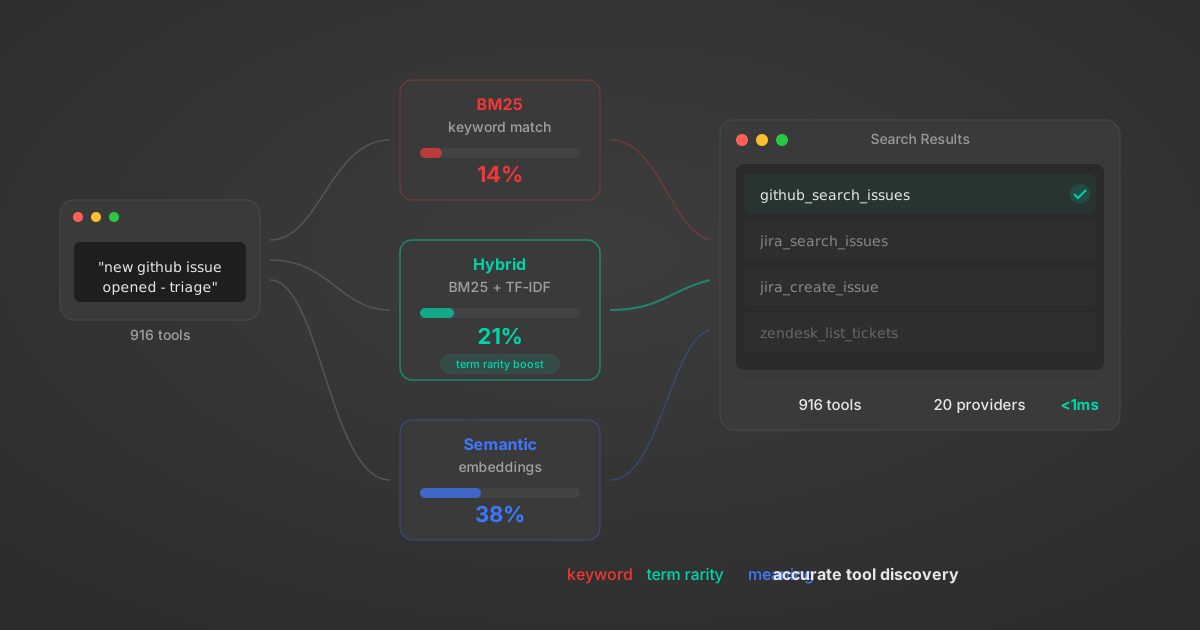
Comparing BM25, TF-IDF, and Hybrid Search for MCP Tool Discovery

Benchmarking BM25, TF-IDF, and hybrid search for MCP tool discovery across 916 tools. The 80/20 TF-IDF/BM25 hybrid hits 21% Top-1 accuracy in under 1ms.

10 min

Put your AI agents to work

All the tools you need to build and scale AI agent integrations, with best-in-class connectivity, execution, and security.