Skip to main content The #1 agentic semantic tool search: 91.6% first-try accuracy on S1 Search Bench Explore Tool Discovery
Connectors Exa
Live 35 Actions

Exa Integration for AI Agents

Connect your AI agent to 35 Exa actions via MCP, A2A, or SDK, with agent authentication, tool-calling execution, and security built-in.


StackOne
DrataGPLocalyzeFlipMindtoolsScreenloop

Exa AI Agent Actions

35 production-ready actions for your agent to do more on Exa.

35 Actions
Generate Answer - Performs a search based on the query and generates either a direct answer or a detailed summary with citations, depending on the query type.
Get Contents - Retrieve cleaned page contents (text, highlights, and/or summary) for one or more URLs or Exa result IDs.
List Events - List all events that have occurred in the system. You can paginate through the results using the `cursor` parameter.
Get Event - Get a single Event by id. You can subscribe to Events by creating a Webhook.
List Imports - Lists all imports for the Webset.
Get Import - Retrieve a single Websets Import by its ID, including its status and configuration.
Create Import - Create an Import to upload external data into Websets for enrichment, search, or exclusion.
Update Import - Updates a import configuration.
Delete Import - Permanently delete a Websets Import by its ID.
List Monitor Runs - Lists all runs for the Monitor.
Get Monitor Run - Gets a specific monitor run.
List Monitors - Lists all monitors for the Webset.
Get Monitor - Retrieve a single Websets Monitor by its ID, including its schedule and behavior.
Create Monitor - Create a Monitor that re-runs a Webset search on a schedule to keep the Webset updated with fresh items.
Update Monitor - Updates a monitor configuration.
Delete Monitor - Permanently delete a Websets Monitor by its ID.
Search - Perform a search with an Exa prompt-engineered query and retrieve a list of relevant results. Optionally get contents.
Get Webset Enrichment - Retrieve a single enrichment on a Webset by the Webset ID and enrichment ID.
Create Webset Enrichment - Create an Enrichment for a Webset.
Update Webset Enrichment - Update an Enrichment configuration for a Webset.
Delete Webset Enrichment - When deleting an Enrichment, any running enrichments will be canceled and all existing `enrichment_result` generated by this Enrichment will no longer be available.
Cancel Webset Enrichment - All running enrichments will be canceled. You can not resume an Enrichment after it has been canceled.
List Webset Items - Returns a list of Webset Items. You can paginate through the Items using the `cursor` parameter.
Get Webset Item - Retrieve a single item within a Webset by the Webset ID and item ID.
Delete Webset Item - Deletes an Item from the Webset. This will cancel any enrichment process for it.
Get Webset Search - Retrieve a single search on a Webset by the Webset ID and search ID.
Create Webset Search - Creates a new Search for the Webset. The default behavior is to reuse the previous Search results and evaluate them against the new criteria.
Cancel Webset Search - Cancels a currently running Search. You can cancel all searches at once by using the `websets/:webset/cancel` endpoint.
List Websets - Returns a list of Websets. You can paginate through the results using the `cursor` parameter.
Get Webset - Retrieve a single Webset by its ID, optionally expanding its items.
Create Webset - Creates a new Webset with optional search, import, and enrichment configurations. The Webset will automatically begin processing once created. You can specify an `externalId` to reference the Webset with your own identifiers for easier integration.
Update Webset - Update the metadata of an existing Webset identified by its ID.
Delete Webset - Deletes a Webset. Once deleted, the Webset and all its Items will no longer be available.
Cancel Webset - Cancels all operations being performed on a Webset. Any enrichment or search will be stopped and the Webset will be marked as `idle`.
Preview Webset - Preview how a search query will be decomposed before creating a webset. This endpoint performs the same query analysis that happens during webset creation, allowing you to see the detected entity type, generated search criteria, and available enrichment columns in advance. Use this to help users understand how their search will be interpreted before committing to a full webset creation.

Do More, Build Less

Integration Infrastructure for Exa AI Agents

Multiple Interfaces

Access integrations via API, AI SDKs, MCP & A2A.

Exa MCP server
Managed Authentication

Pre-built authentication UI.

Agent auth
Falcon Engine

Every Exa action runs on Falcon.

Agent Execution Engine
StackOne Defender
StackOne Defender Meta PG v1 Meta PG v2 DeBERTa 88.7% 67.5% 63.1% 56.9% Detection accuracy

88.7% prompt injection detection.

Prompt injection defense

"What impressed us most about StackOne is its ambition and clarity. They're creating infrastructure that modern software and the entire AI agent ecosystem can rely on. The depth of secure integrations, the pace of delivery, and the team's foresight into AI's future uniquely position StackOne to redefine this category."

Luna Schmid, Partner at GV

"We've been impressed by how quickly and deeply StackOne integrates with complex enterprise systems -- and now, with their focus on agent-to-agent interoperability, they're unlocking even more powerful use cases for customers. StackOne delivers all of the above in a universal layer -- without compromise."

Barbry McGann, SVP at Workday Ventures

G2 - High Performer G2 - Easiest To Do Business With G2 - Users Love Us G2 - Users Most Likely To Recommend G2 - Easiest Admin

Product Teams Love Building Agent Integrations With StackOne

G2

More AI & ML Integrations Like Exa

OpenAI

121+ actions

Dialpad

57+ actions

Google Gemini

30+ actions

Anthropic

29+ actions

Fireflies.ai

25+ actions

Groq

20+ actions

Cohere

14+ actions

Exa AI agent integration resources
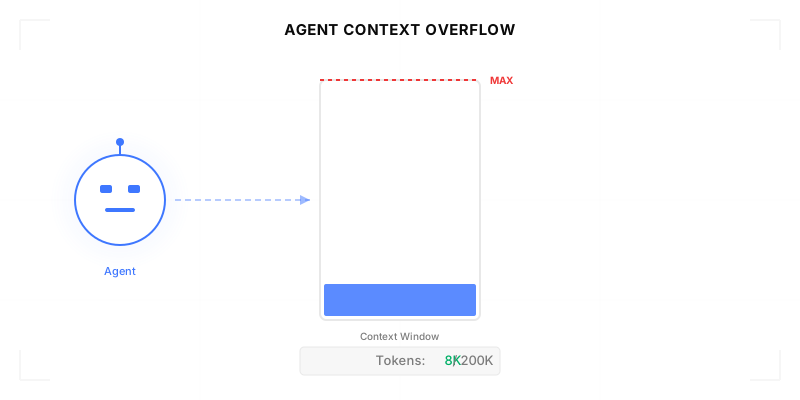
Agentic Context Engineering: Why AI Agents Kill Their Own Context Windows

AI agents exceed their context windows without knowing it. Six failure patterns and seven survival architectures for agentic context engineering.

15 min
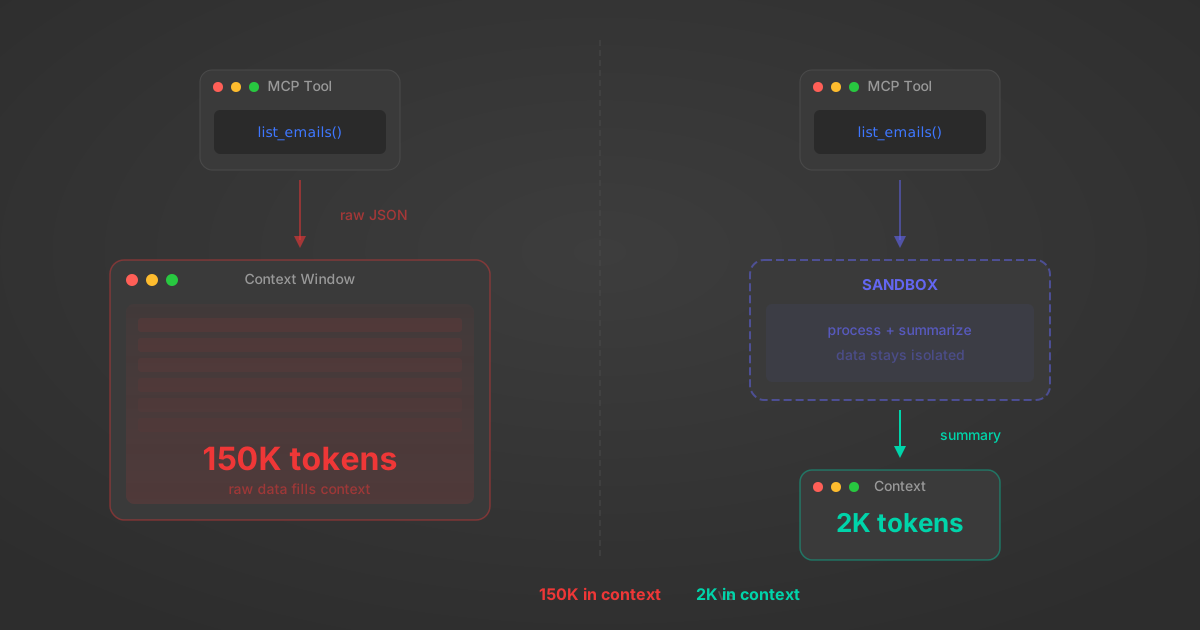
MCP Code Mode: Keeping Tool Responses Out of Agent Context

Anthropic's code_execution processes data already in context. Custom MCP code mode keeps raw tool responses in a sandbox. 14K tokens vs 500.

11 min
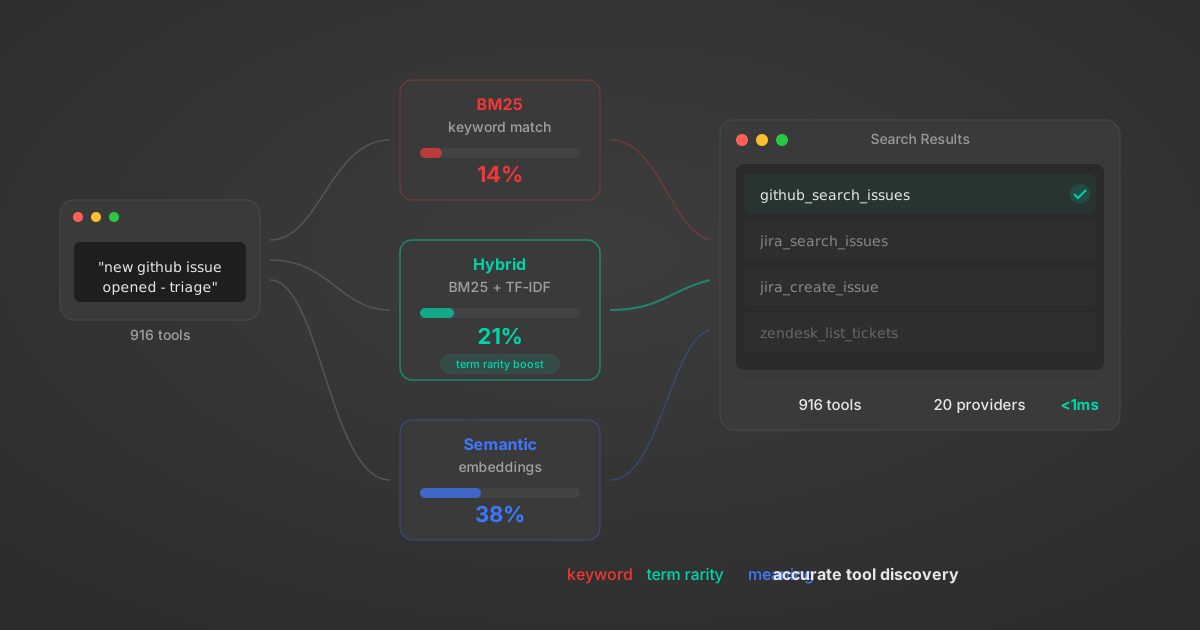
Comparing BM25, TF-IDF, and Hybrid Search for MCP Tool Discovery

Benchmarking BM25, TF-IDF, and hybrid search for MCP tool discovery across 916 tools. The 80/20 TF-IDF/BM25 hybrid hits 21% Top-1 accuracy in under 1ms.

10 min

Put your AI agents to work

All the tools you need to build and scale AI agent integrations, with best-in-class connectivity, execution, and security.