
AI Agent for Event Follow-Up
Convert Every Registrant
Use StackOne to connect your AI agent to your webinar platform, marketing automation, and CRM to automate event registration and follow-up.



AI Agents
Connect
MCP and A2A to REST, SOAP, and proprietary APIs.
Optimize
Tool discovery, data shaping, and reliable execution.
Secure
Scoped permissions, audit trails, and observability.
StackOne Integration Layer


 StackOne Integration Layer
Connect
530+ connectors, build your own, and multi-protocol support.
Optimize
Context, token, and speed optimization infrastructure.
Secure
Permissions API and prompt injection protection.
What Can AI Agents Do for Webinar & Event Follow-Up?
An AI agent for webinar and event follow-up connects to your marketing apps through StackOne to sync registrations, send reminders, track attendance, segment contacts by engagement, and trigger personalized follow-up sequences.
Sync Registrations Across Systems
Capture registrant data from Zoom and sync contact records to HubSpot or Salesforce. Push event metadata to marketing automation for campaign tagging.
Send Pre-Event Reminders
Trigger confirmation emails and calendar invites on registration. Schedule reminder drips at one week, one day, and one hour before the event via Mailchimp, ActiveCampaign, or Slack.
Track Attendance and Engagement
Pull post-event data from Zoom — attended vs. no-show, session duration, poll responses, and Q&A activity. Write attendance status and engagement scores back to CRM records.
Segment Contacts by Behavior
Apply engagement-based segmentation: high engagement attendees as hot leads, regular attendees as warm, no-shows into nurture tracks. Tag contacts in HubSpot or Salesforce and sync segments to marketing platforms.
Score Leads and Hand Off to Sales
Aggregate webinar engagement signals — attendance, duration, poll responses, link clicks — into the lead scoring model. Contacts exceeding the MQL threshold are auto-routed to the sales queue in CRM with full event context.
Sync Registrations Across Systems
Capture registrant data from Zoom and sync contact records to HubSpot or Salesforce. Push event metadata to marketing automation for campaign tagging.
Send Pre-Event Reminders
Trigger confirmation emails and calendar invites on registration. Schedule reminder drips at one week, one day, and one hour before the event via Mailchimp, ActiveCampaign, or Slack.
Track Attendance and Engagement
Pull post-event data from Zoom — attended vs. no-show, session duration, poll responses, and Q&A activity. Write attendance status and engagement scores back to CRM records.
Segment Contacts by Behavior
Apply engagement-based segmentation: high engagement attendees as hot leads, regular attendees as warm, no-shows into nurture tracks. Tag contacts in HubSpot or Salesforce and sync segments to marketing platforms.
Execute Personalized Follow-Up
Send attendees a thank-you with the recording link and resources via Gmail or marketing automation. Email no-shows the on-demand recording and next-event invite. Alert SDRs via Slack for high-engagement contacts.
Score Leads and Hand Off to Sales
Aggregate webinar engagement signals — attendance, duration, poll responses, link clicks — into the lead scoring model. Contacts exceeding the MQL threshold are auto-routed to the sales queue in CRM with full event context.
Why Building a Good Webinar Follow-Up Agent Is Hard
Building a good webinar follow-up agent is hard because it has to connect webinar, CRM, marketing, and messaging systems, work through the complex proprietary APIs of webinar platforms, keep token costs down as multi-system orchestration grows, and defend against prompt injection in registrant data.
Connecting Webinar, CRM, Marketing, and Messaging Systems
The agent must maintain connectors to Zoom, HubSpot, Salesforce, Mailchimp, ActiveCampaign, and Slack — each with distinct auth, pagination, and rate-limit behavior to build and maintain independently.
Webinar Platforms Have Complex, Proprietary APIs
Zoom Webinars, GoToWebinar, and On24 each expose different data models for registration, attendance, and engagement. Every provider multiplies the connector engineering effort required.
Token Cost Grows with Multi-System Orchestration
Without search-first discovery, the agent loads every action definition from every connected system before each run, burning tokens and increasing cost — especially at high registration volume.
Registrant Data Carries Prompt Injection Risk
Registration forms, webinar Q&A responses, and poll answers contain free-text user input that flows directly into agent prompts, creating prompt injection risk across every workflow step.
How StackOne Makes Webinar Follow-Up Agents Possible
StackOne makes webinar and event follow-up agents possible by connecting them to your marketing apps, so one agent can sync registrations, track attendance, and trigger follow-up sequences with the controls IT demands.
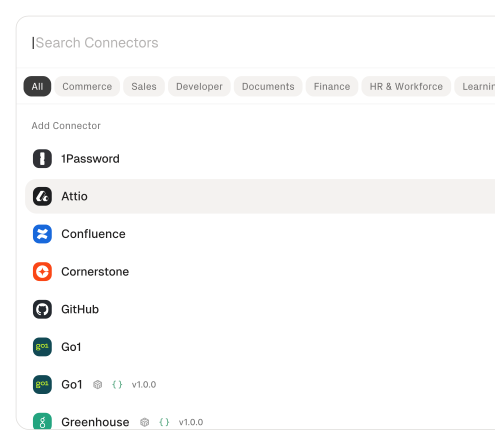
530+ connectors with 33,000+ agent-optimized actions
Pre-built connectors for Zoom, HubSpot, Salesforce, Mailchimp, ActiveCampaign, and Slack with full native action coverage and agent instructions included.
Managed Auth handles credentials across providers
OAuth flows, API keys, and token refresh managed per tenant for every connected webinar platform, CRM, and marketing tool — agents never touch raw credentials.
Advanced Tool Search finds the right action
Agent searches StackOne's action catalog by natural language and executes the matching webinar or marketing action — no pre-loading thousands of tool definitions.
Build agentic workflows
Subscribe your AI agents to any webhook-enabled marketing connector and trigger agentic workflows from any of your app events.
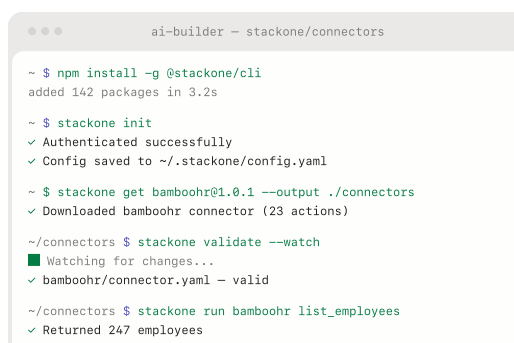
AI Connector Builder extends to any webinar platform
Build custom connectors for GoToWebinar, On24, or any REST, SOAP, or GraphQL API without modifying agent logic — write once, available across all protocols.
Defender blocks prompt injection from registrant data
StackOne Defender screens inbound registrant text — form fields, Q&A responses, poll answers — for injection attempts before the agent processes it, preventing adversarial content from manipulating follow-up logic.
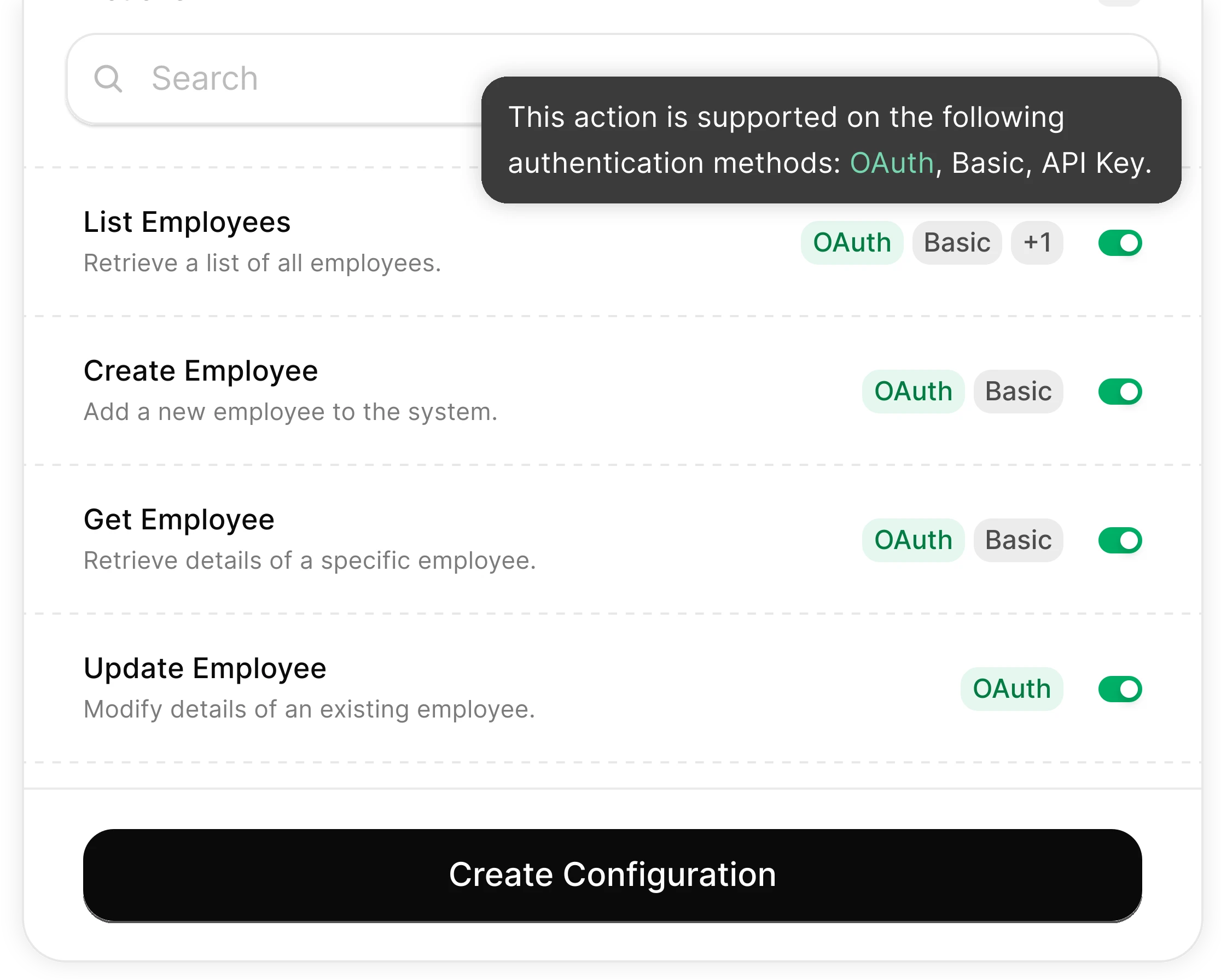
You Control What the Agent Can Do
Scoped permissions define exactly which contact fields the agent reads and which marketing actions it can trigger. Full audit trail of every operation.
Integrates with your entire marketing stack. Whatever it is.
Automate Webinar Follow-Up with any AI agent through StackOne

Any AI Agent Client or Framework
Claude, OpenAI, LangChain, Vercel AI SDK, CrewAI, Pydantic AI — StackOne works with every major agent framework out of the box.


Any Agent Builder
Whether you're building with code, a visual builder, or an enterprise platform — StackOne provides the integration layer your agent needs.
Connect Your Agent to Your Marketing Stack
Start building in minutes. MCP connectors to every system your agent needs.
Before this ships, someone will ask who can run it.
The same controls cover every use case on this site: which actions exist, who may connect an account, what each call may read or change, what comes back, and the record it leaves.
- Connector access
- SSO and SCIM
- Permission Policies
- Observability & audit
- Deployment and data residency
Frequently Asked Questions
Other Marketing Automation Use-Cases
View allUse StackOne to connect your AI agent to your marketing automation, CRM, and email tools to automate lead nurture email sequences.
ViewUse StackOne to connect your AI agent to your marketing automation, email, and analytics platforms to automate campaign performance reporting.
ViewUse StackOne to connect your AI agent to your document stores, email platforms, and messaging tools to automate content repurposing and distribution.
ViewConnect Your Agent to Your Marketing Stack
Start building in minutes. MCP connectors to every system your agent needs.