
AI Agent for Win/Loss Analysis
Win Every Deal Debrief
Use StackOne to connect your AI agent to your CRM, survey tools, and document stores to automate win/loss analysis.



AI Agents
Connect
MCP and A2A to REST, SOAP, and proprietary APIs.
Optimize
Tool discovery, data shaping, and reliable execution.
Secure
Scoped permissions, audit trails, and observability.
StackOne Integration Layer


 StackOne Integration Layer
Connect
530+ connectors, build your own, and multi-protocol support.
Optimize
Context, token, and speed optimization infrastructure.
Secure
Permissions API and prompt injection protection.
What Can AI Agents Do for Win/Loss Analysis?
An AI agent for win/loss analysis connects to your CRM apps through StackOne to detect deal closures, pull CRM data and buyer feedback, classify win/loss reasons, and distribute structured reports to leadership.
Detect Deal Closure
Monitor deal stage changes in Salesforce, HubSpot, or Pipedrive to trigger analysis the moment a deal is marked closed-won or closed-lost.
Collect Deal History and Buyer Feedback
Pull full deal timelines, activities, and emails from the CRM. Retrieve post-deal survey responses from SurveyMonkey or Typeform, and call recordings from Gong.
Analyze Competitive and Pricing Factors
Extract competitor mentions, pricing data, and discount levels from CRM deal notes and email threads. Identify patterns across won and lost deals.
Classify Win/Loss Reasons
Tag primary win/loss reasons using predefined categories — pricing, product fit, competitor strength, relationship, timing — and write classified reasons back to the CRM deal record.
Compile and Distribute Reports
Assemble a structured report with executive summary, deal timeline, stakeholder map, and key factors. Share with product and sales leadership via Slack or Google Drive.
Detect Deal Closure
Monitor deal stage changes in Salesforce, HubSpot, or Pipedrive to trigger analysis the moment a deal is marked closed-won or closed-lost.
Collect Deal History and Buyer Feedback
Pull full deal timelines, activities, and emails from the CRM. Retrieve post-deal survey responses from SurveyMonkey or Typeform, and call recordings from Gong.
Analyze Competitive and Pricing Factors
Extract competitor mentions, pricing data, and discount levels from CRM deal notes and email threads. Identify patterns across won and lost deals.
Classify Win/Loss Reasons
Tag primary win/loss reasons using predefined categories — pricing, product fit, competitor strength, relationship, timing — and write classified reasons back to the CRM deal record.
Compile and Distribute Reports
Assemble a structured report with executive summary, deal timeline, stakeholder map, and key factors. Share with product and sales leadership via Slack or Google Drive.
Why Building a Good Win/Loss Analysis Agent Is Hard
Building a good win/loss analysis agent is hard because it has to connect CRMs, survey tools, and document stores, keep token costs down with every system the agent touches, defend against prompt injection in deal notes and transcripts, and rely on purpose-built tools to get reliable results.
Connecting CRMs, Survey Tools, and Document Stores
A win/loss agent must pull from Salesforce, HubSpot, Gong, SurveyMonkey, and Google Drive. Building auth, pagination, and rate-limit handling per system is a massive engineering lift before the agent even starts analyzing deals.
Token Cost Grows with Every System the Agent Touches
Without search-first discovery, the agent pre-loads every action definition across CRM, docs, and survey tools — burning tokens and money on irrelevant tool definitions, worse at high deal volume.
Deal Notes and Transcripts Carry Prompt Injection Risk
Win/loss agents ingest untrusted text from CRM deal notes, survey free-text fields, and call transcripts. Malicious content embedded in these fields can hijack agent behavior — a risk that scales with every deal the agent processes.
Getting Reliable Results Requires Purpose-Built Tools
Each CRM structures deals, close reasons, and competitor fields differently. Agents need custom connector logic per provider that breaks when schemas change. Raw API wrappers expose too many low-level details and fail silently.
How StackOne Makes Win/Loss Analysis Agents Possible
StackOne makes win/loss analysis agents possible by connecting them to your CRM apps, so one agent can pull deal data, collect buyer feedback, and compile reports with the controls IT demands.
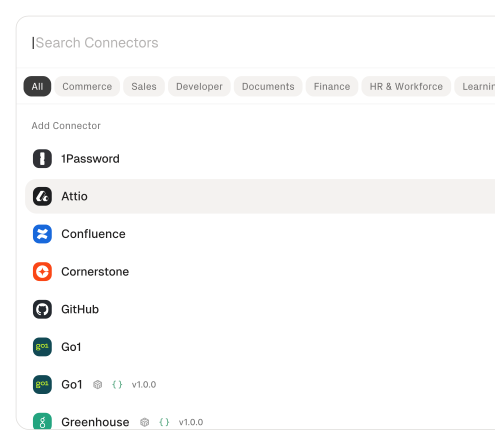
530+ connectors with 33,000+ agent-optimized actions
Pre-built connectors for Salesforce, HubSpot, Pipedrive, Gong, SurveyMonkey, Typeform, Google Drive, and Slack with full native action coverage and agent instructions included.
Managed Auth handles credentials across providers
OAuth flows, API keys, and token refresh managed per tenant for every connected CRM, survey tool, and document store — agents never touch raw credentials.
Advanced Tool Search finds the right action
Agent searches StackOne's action catalog by natural language and executes the matching CRM or survey action — no pre-loading thousands of tool definitions.
Build agentic workflows
Subscribe your AI agents to any webhook-enabled CRM connector and trigger agentic workflows from any of your app events.
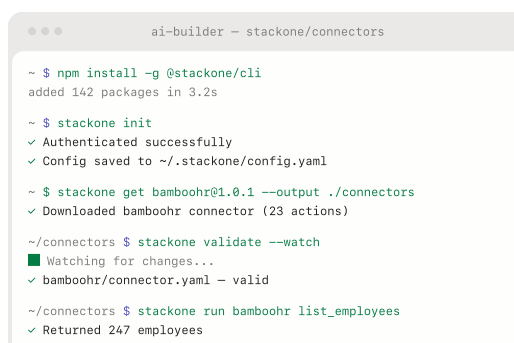
AI Connector Builder extends to any system
Build custom connectors for niche CRMs or survey tools not yet in the catalog via REST, SOAP, or GraphQL — no waiting on vendor support.
Defender blocks prompt injection from deal content
StackOne Defender screens inbound deal notes, survey responses, and call transcripts for injection attempts before the agent processes them, preventing adversarial content from manipulating analysis behavior.
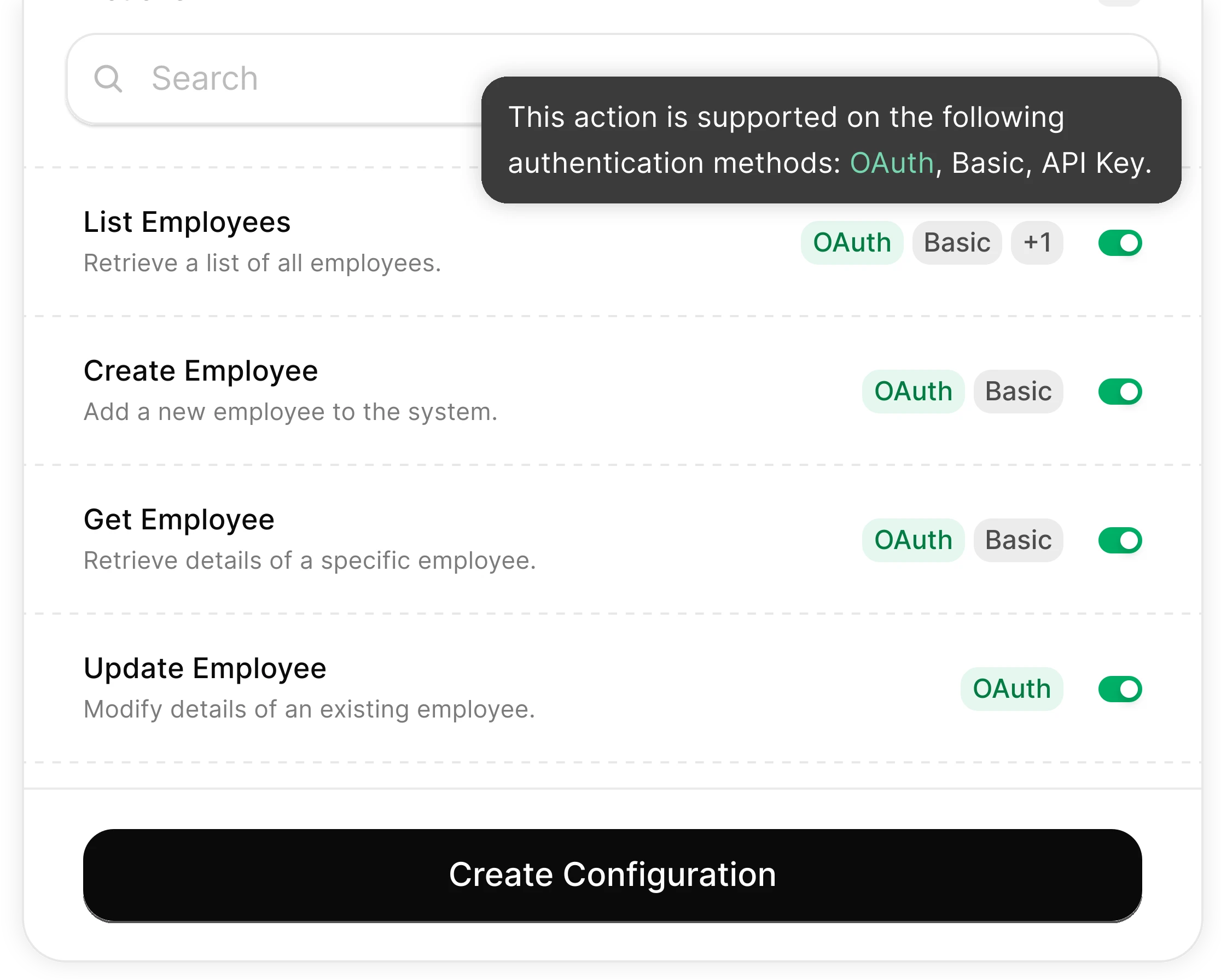
You Control What the Agent Can Do
Scoped permissions define exactly which deal fields the agent reads and which reporting actions it can trigger. Full audit trail of every operation.
Integrates with your entire sales stack. Whatever it is.
Automate Win/Loss Analysis with any AI agent through StackOne

Any AI Agent Client or Framework
Claude, OpenAI, LangChain, Vercel AI SDK, CrewAI, Pydantic AI — StackOne works with every major agent framework out of the box.


Any Agent Builder
Whether you're building with code, a visual builder, or an enterprise platform — StackOne provides the integration layer your agent needs.
Connect Your Agent to Your Sales Stack
Start building in minutes. MCP connectors to every system your agent needs.
Before this ships, someone will ask who can run it.
The same controls cover every use case on this site: which actions exist, who may connect an account, what each call may read or change, what comes back, and the record it leaves.
- Connector access
- SSO and SCIM
- Permission Policies
- Observability & audit
- Deployment and data residency
Frequently Asked Questions
Other Sales & CRM Use-Cases
View allUse StackOne to connect your AI agent to your CRM, email, and calendar tools to automate post-demo follow-up.
ViewUse StackOne to connect your AI agent to your CRM, billing, and messaging tools to automate contract renewal detection.
ViewUse StackOne to connect your AI agent to your CRM, email, and calendar tools to automate deal risk scoring and pipeline alerts.
ViewUse StackOne to connect your AI agent to your CRM, marketing automation, and messaging tools to automate inbound lead qualification and routing.
ViewUse StackOne to connect your AI agent to your CRM, sales engagement, and messaging tools to automate outbound prospecting.
ViewConnect Your Agent to Your Sales Stack
Start building in minutes. MCP connectors to every system your agent needs.