
How I Built an AI Hiring Analyst in Under an Hour
Table of Contents
As a standalone Head of People, being able to quickly analyse our hiring process is invaluable. Spotting blockers, identifying inefficiencies, understanding where and why candidates drop off: these are the questions that help me have better conversations with hiring managers and make more informed decisions about how we hire. Applicant tracking systems hold the data to answer these questions, but getting to it quickly with the right context isn’t always easy.
The problem: hiring answers buried in our ATS
A recent example: a candidate told us they didn’t have time to complete our take home task. It wasn’t the first time we’d seen friction at that stage, and I wanted to understand the scale of it. How many people had attempted the task, how many had passed, failed, or withdrawn, and why? This is an important step for us in evaluating candidates and has historically given us excellent hiring signal.
I went into Ashby, our ATS, and could see some of what I was looking for, but not the full picture. I knew the answers existed somewhere, but couldn’t quickly see the data and context without spending time on configuration. Even if I’d had the report set up to see withdrawal numbers, I’d still have needed to go into individual profiles to find the context that said why each person had withdrawn.
It got me thinking about a longer-term fix: a way to get answers from our Ashby data quickly, without building a new report every time.
The setup: connecting Claude to Ashby, no code required
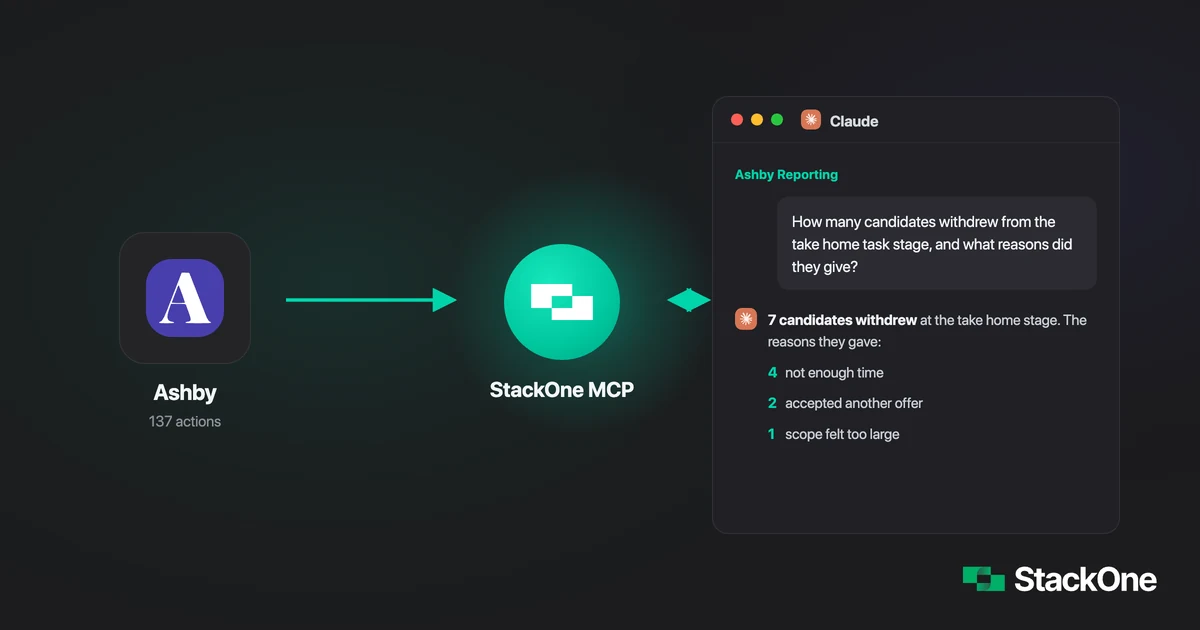
The solution is a direct connection between Claude and our Ashby data, powered by StackOne. I can ask hiring questions directly and get answers pulled from live data, with no configuration, exports, or waiting.
Here’s how it works. Claude is the AI that understands your questions and reasons through answers. On its own it has no idea what’s in your Ashby account. It needs a connection to get there. That connection is built using an MCP (Model Context Protocol), an open standard for linking AI to external tools and data sources. Think of it as a connector between Claude and Ashby.
To build that connection without writing any code, I used StackOne, the integration infrastructure that connects AI agents to SaaS tools like Ashby. It maps Ashby’s data into a standard format and exposes it through a built-in MCP gateway, so no developer was needed.
Setting it up took four steps
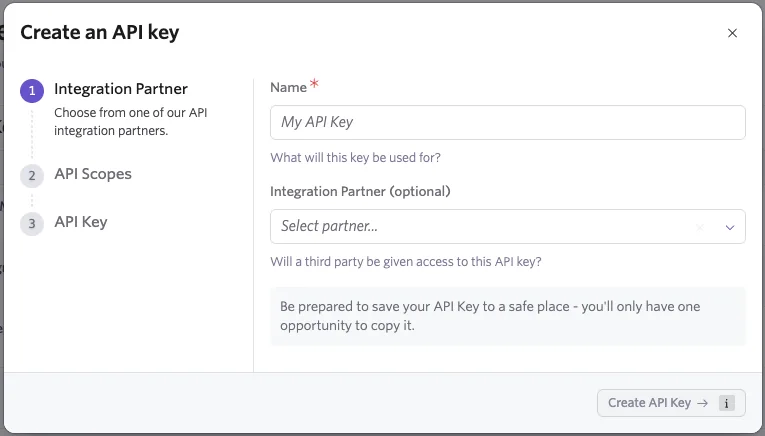
1. Create an API key in Ashby
In Admin settings, create a new API key under “Integrations”. Select Read access for the data you want (Jobs, Candidates, Interviews, Hiring Process Metadata, Offers, Reports). Leave all Write boxes empty. There’s no reason to give a reporting tool write access. Save the API key somewhere secure, since Ashby only shows the full key once at the point of creation.
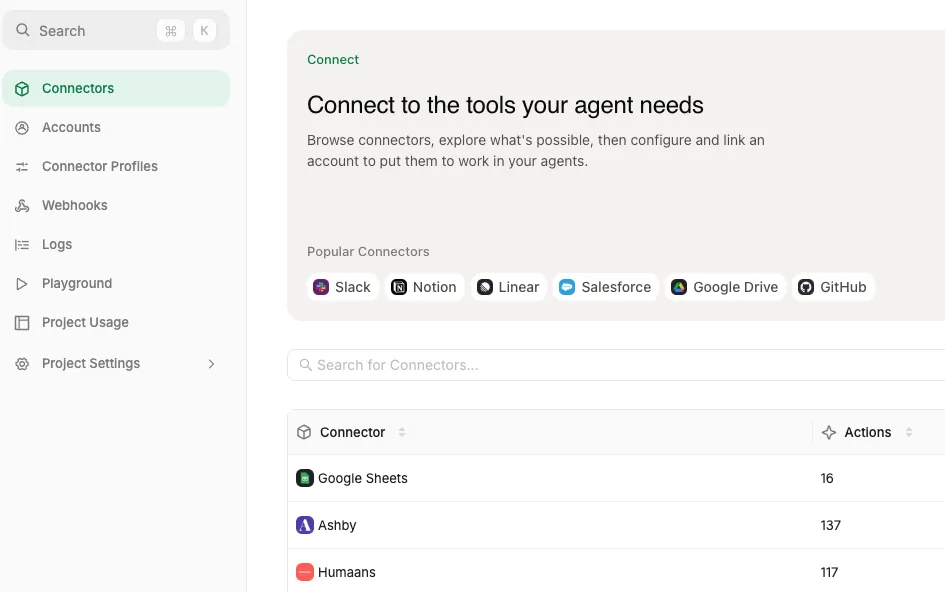
2. Connect Ashby to StackOne
Add Ashby as a connector in StackOne and paste in the API key. StackOne maps Ashby’s data into a standard format that Claude can work with. If you want to build something similar, start with StackOne’s Ashby connector, which exposes 137 pre-built actions across jobs, candidates, interviews, and offers.
Get free StackOne access or book a StackOne demo.
3. Connect Claude to the StackOne Ashby MCP
Add the Ashby MCP server as a custom connector in Claude. You’ll need an internet connection for this to work. In Claude:
- Navigate to Customize, then Connectors.
- Click the ”+” button next to Connectors.
- Select “Add custom connector”.
- Enter the connector’s name and the MCP URL from StackOne.
- Enter advanced settings (OAuth Client ID and secret) if desired.
- Click “Add”, then follow the same connection process as the directory connectors.
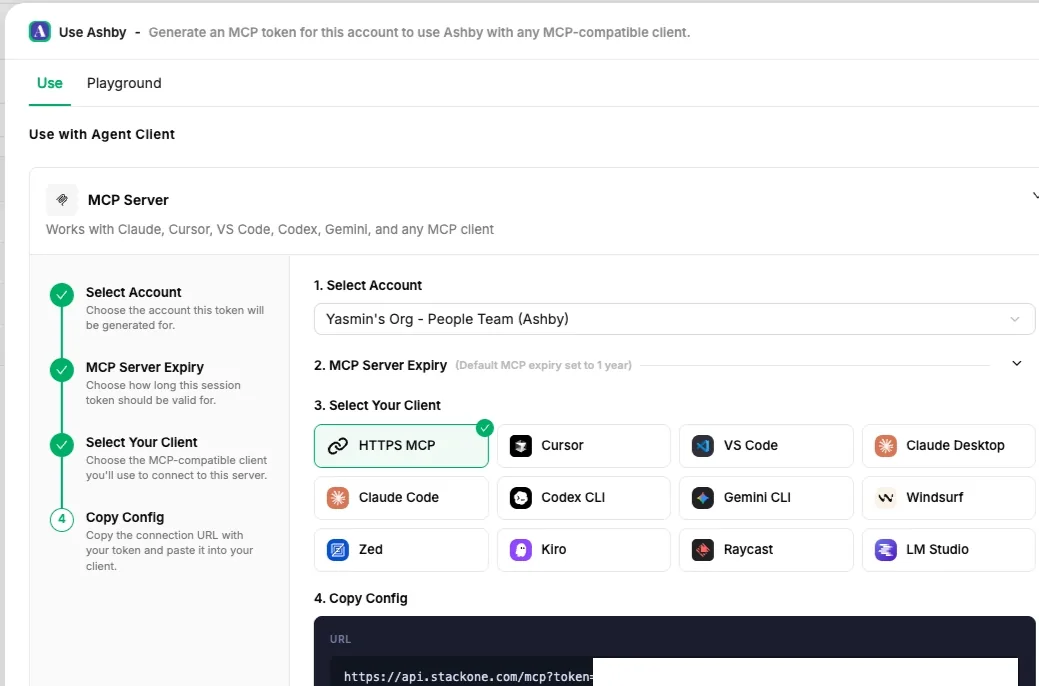
4. Open a chat in Claude and ask a question
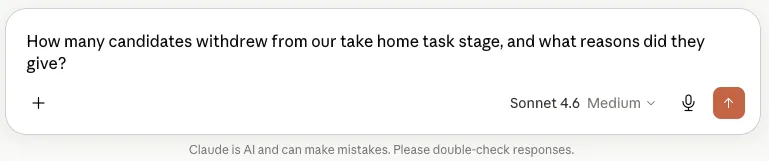
Once the StackOne Ashby MCP is connected to your Claude account, you can query Ashby data from any chat. I created a dedicated one called “Ashby Reporting” to keep all my hiring data questions in one place.
The difference it’s made
A few things changed straight away:
- It’s reduced the time it takes to get to an answer.
- Data that previously lived across multiple places in Ashby is now available in one view.
- It’s improved the quality of the conversations I can have with hiring managers.
Questions that previously meant digging through individual profiles or configuring a report now take seconds. For example:
- “How many candidates withdrew from our take home task stage, and what reasons did they give?”
- “Which sources are producing the most candidates who reach final round?”
- “Where are candidates dropping off in the engineering pipeline?”
It’s also changed the questions I ask. When getting to data is easy, you think to ask more of it. I’m spotting patterns I wouldn’t have had the capacity to go looking for before.
What’s next
The next step is making it more proactive: an agent that monitors things on a schedule and flags time-to-hire creep or a drop in offer acceptance before I think to ask. There’s also an exciting use case around cross-system analysis to explore, where the answers to People questions span multiple data sources, like salary benchmarking. Watch this space!
If you want to build something similar, you can get free StackOne access or book a StackOne demo, and start with StackOne’s MCP gateway to connect your own recruiting and ATS tools.